Tech BlogLightning-fast rollbacks

Ensuring safe production releases requires a dual strategy: rigorous pre-deployment verification and an exceptionally fast rollback plan. Rollbacks act as our ‘emergency undo’ button, minimising downtime and preventing further issues. Rollbacks are critical to being able to instantly restore service and give our team time to safely investigate the error offline.
While Engine utilises extensive static analysis and automated testing, our last line of defense relies on a highly optimised, state-driven rollback architecture. Learn more about our speedy custom configuration promotion process, how we promote configuration files from staging to production buckets, and how S3 object tagging allows our in-house lambdas to identify and isolate specific release versions instantly.
At Engine, we have a huge number of tools at our disposal to ensure releases happen safely. These include:
-
Simulations in demo environments
-
Tests on individual PRs
-
Tests on the main branch post-merge
-
Static analysis on PRs that are part of production releases
-
Manual tech reviews to make sure nothing was missed
Of course, things don't always go as planned, and occasionally we make mistakes, meaning speedy rollback is critical in mitigating any impact. Here are some key elements of our process:
Engine's deployment process has many steps, but the promotion method is a key element as it makes sure we know what has been released, so we can roll it back with confidence. This involves copying files from an Amazon S3 bucket called staging (which contains configuration code that’s ready to release) to a bucket called config (the source of truth for what should be deployed).
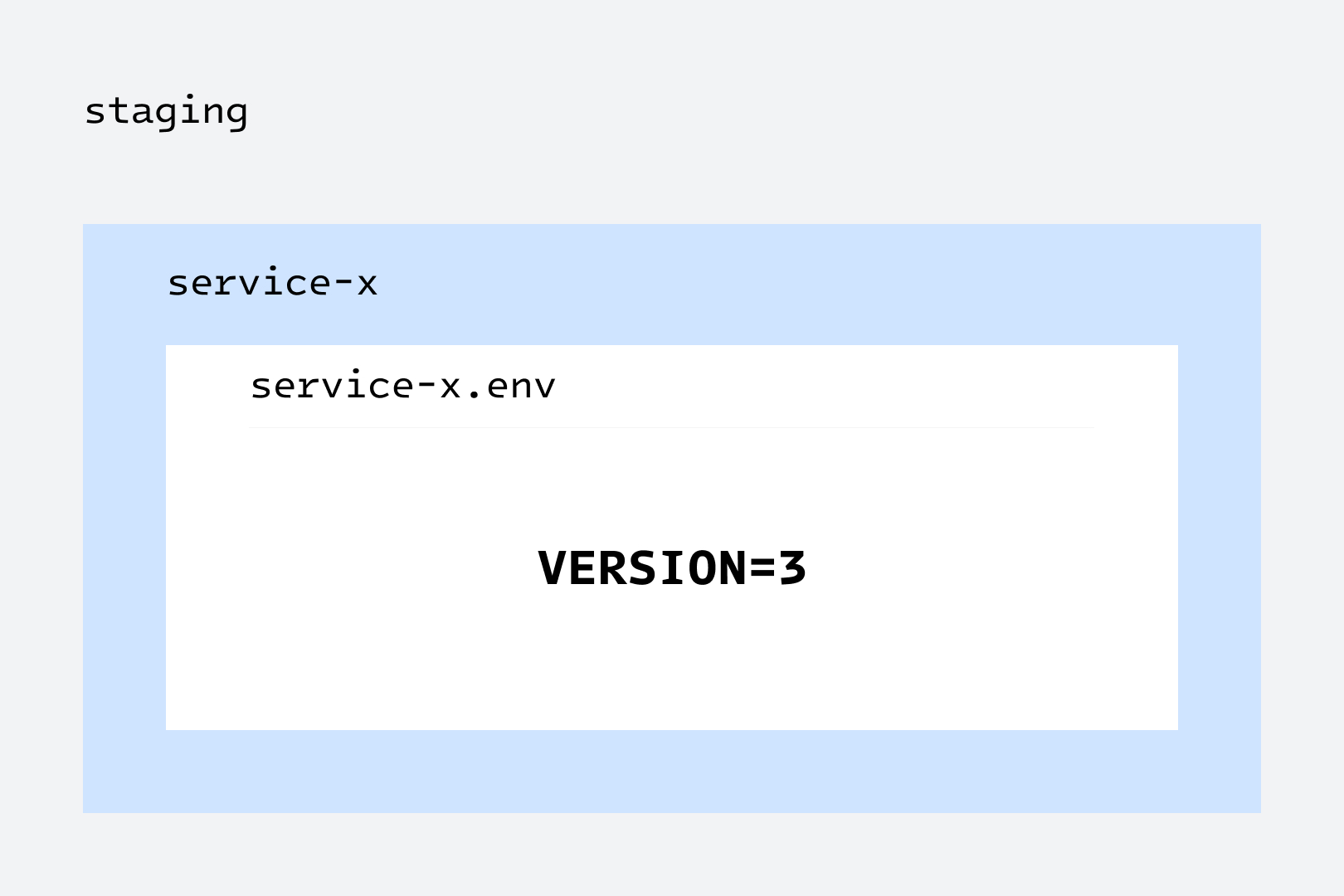
Inside the staging bucket, within each folder—which in Engine equates to a service—there’s a file called service-name.env.
Each file contains the line VERSION=X . We know this line will be present as it’s controlled by our release manager service .
The code is copied over by a lambda that we maintain in-house. The paths are provided as part of each release, when an engineer triggers promotion, and the lambda copies over the files.
As part of this process, the lambda inspects each file for the VERSION=X line and then tags the file with the relevant version. This uses S3 object tagging, which stores additional metadata about the object that we can query later through the AWS API.
Our config S3 bucket has versioning enabled, which means that when a file is copied over, it’s added as a new “current” object version. Previous object versions remain in the bucket as “noncurrent”. This means rollback is just a case of restoring a noncurrent version to be the current version.
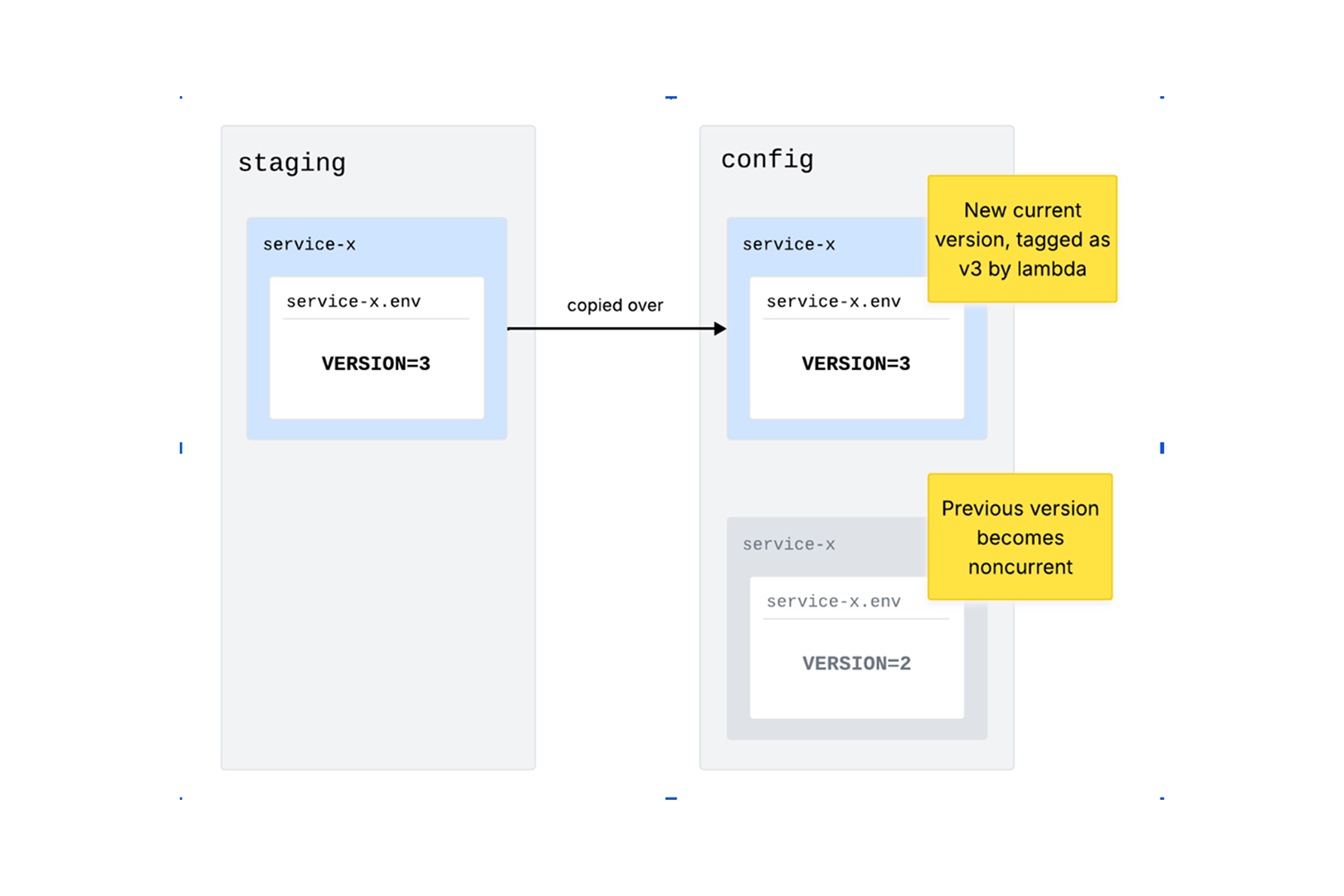
Because object tags are version-specific, all our rollback lambda needs to do is find the S3 object version with the correct VERSION tag and promote it to be the current version. With the ability to rollback anything that breaks, our engineers can enjoy a process that’s smooth and stress-free, with complete confidence in figuring out the issue and finding a resolution.
It’s great having the ability to roll back so quickly, but it relies on engineers being able to use the tech confidently. We’ve built tooling around our rollback lambda to make sure anyone can roll back a release without needing to understand the inner workings.
When a release is triggered in our engineering portal, a screen displays metrics for the release, along with links to exceptions and alerts raised. This means engineers can easily monitor for errors.
If a rollback is required, there’s a rollback button that guides users through the steps to make sure it is approved by a technical approver and a release approver.
Our CLI then provides a simple interface to enable users to roll back any release to a previous version.
Safe deployments aren’t just about preventing bad code from reaching production, they're about how quickly you can recover when something goes wrong. By leveraging S3 versioning and metadata tagging behind an intuitive user interface, we’ve taken the panic out of production incidents. Our engineers don't have to worry about the underlying infrastructure or tracking down specific commit histories during an outage; they just click a button, and the tooling handles the rest. When things go wrong, we aren’t rushing to get a fix in, we can easily rollback and take the stress and impact out of any incident.
Our rollback approach exists because our team design processes that actually work for engineers. We avoid arbitrary, box-ticking procedures, and instead, empower our engineers to build practical, highly effective tooling that solves real day-to-day pain points.
Learn more about life at Engine on our Engineering Careers page.
CareersReady to come on board?
Browse our current openings below:
We couldn’t find any roles that matched your search criteria this time around.